Staying focused has become increasingly challenging in a world filled with smartphone notifications, social media updates, emails, and constant digital entertainment. Even when you sit down with a clear goal, a single notification can interrupt your concentration and lead to several minutes of unnecessary browsing. Learning how to stay focused is not simply about working harder. It involves creating an environment that makes concentration easier and reduces opportunities for distraction. Whether you are studying, working remotely, managing personal responsibilities, or developing new skills, building better focus habits can help you use your time more effectively. Simple productivity strategies, combined with tools such as Brick, can help create more intentional boundaries around smartphone usage.
Why Is It Difficult to Stay Focused?
Digital devices provide convenient access to information, but they also create opportunities for constant interruption. A message notification, social media alert, or interesting video can quickly pull your attention away from an important task.
Switching between different activities may also make it harder to maintain a consistent working rhythm. For example, checking messages while writing a report can interrupt your thought process and require additional effort to return to the original task.
Common reasons people struggle with concentration include:
- Frequent smartphone notifications.
- Multitasking between unrelated activities.
- Unplanned social media browsing.
- An unorganized workspace.
- Unclear daily priorities.
- Taking breaks that turn into extended scrolling sessions.
Understanding these distractions is the first step toward improving concentration.
7 Practical Ways to Improve Focus and Productivity
1. Start Your Day With Clear Priorities
Before opening social media or checking entertainment updates, identify the most important tasks for your day.
Write down three priorities and decide which one deserves your attention first. Breaking larger responsibilities into smaller tasks can make them easier to approach.
Instead of writing a general goal such as completing a project, identify specific actions that move it forward.
2. Use the Pomodoro Technique
The Pomodoro Technique is a simple time-management method that divides work into focused intervals followed by short breaks.
A common approach involves:
- Work for 25 minutes without unnecessary interruptions.
- Take a five-minute break.
- Repeat the process four times.
- Take a longer break after completing four sessions.
You can adjust the intervals according to your workload and personal preferences.
The main idea is to give each task dedicated attention while allowing regular opportunities to rest.
3. Remove Smartphone Distractions
Your smartphone can be one of the biggest obstacles to concentration, particularly when distracting applications are only a tap away.
Try keeping your phone in another room or inside a drawer during important work sessions. If you need it nearby, activate Focus or Do Not Disturb mode and silence nonessential notifications.
You can also remove distracting applications from your home screen to make unnecessary browsing less convenient.
4. Create a Dedicated Workspace
Your surroundings can influence how easily you concentrate. A cluttered or noisy environment may introduce unnecessary interruptions.
Create a workspace that supports your daily responsibilities.
Consider these adjustments:
- Keep only essential items on your desk.
- Organize your study or work materials.
- Choose a comfortable chair and suitable lighting.
- Reduce background noise where possible.
- Keep entertainment devices away from your workspace.
A dedicated working area can also help establish a consistent routine.
5. Avoid Multitasking
Trying to complete several demanding activities simultaneously can make it difficult to give each one proper attention.
Instead, organize similar tasks into groups. For example, respond to emails during a scheduled period rather than checking every message as it arrives.
When working on an important assignment, close unrelated browser tabs and applications.
Giving one task your attention at a time can make your workflow more organized.
6. Schedule Breaks Without Endless Scrolling
Taking breaks is important, but opening social media during every break can make it difficult to return to work.
Choose activities that allow you to step away from your screen.
Some useful options include:
- Walking around your home or office.
- Drinking water.
- Stretching for a few minutes.
- Looking outside.
- Having a short conversation.
- Taking a few quiet moments.
These activities provide a change of pace without introducing another digital distraction.
7. Review Your Progress Regularly
At the end of each day, consider which activities received your attention and which distractions interrupted your plans.
Identify one habit you want to improve the following day. You might decide to check messages less frequently, extend a focused work session, or keep your phone outside your workspace.
Small adjustments are often easier to maintain than completely changing your routine overnight.
How Brick Can Help You Stay Focused
Building concentration habits is easier when your environment supports your goals. However, some people find it difficult to ignore distracting applications, even when they have important work to complete.
This is where Brick offers a different approach to managing smartphone distractions.
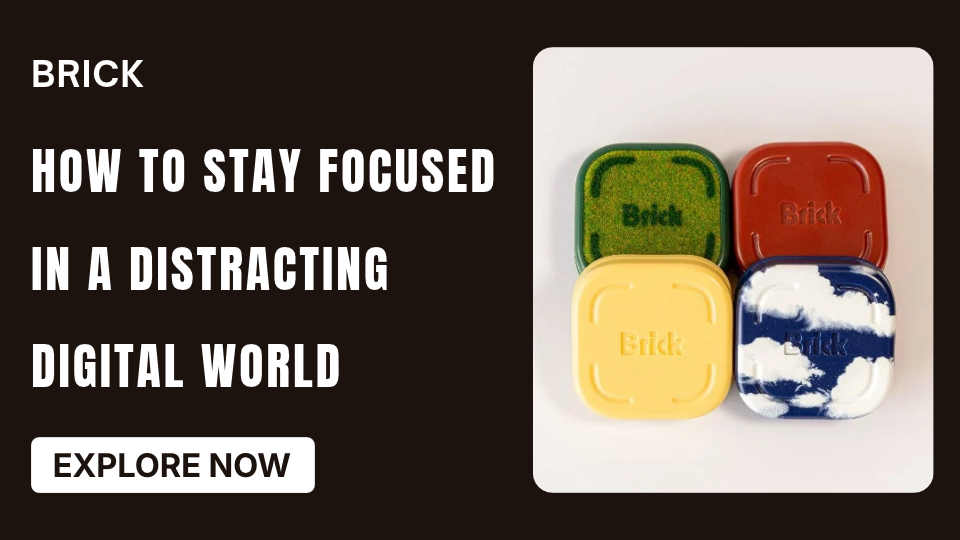
Brick is a physical app-blocking device designed to help people spend less time on distracting applications and more time on activities that matter. It works alongside the Brick mobile application, allowing users to select which apps and websites they want to restrict.
Understanding Brick’s App-Blocking System
The standard Brick device uses a physical tap-based system.
The process involves three basic steps:
- Choose distracting apps: Select the applications and websites you want to block using the Brick application.
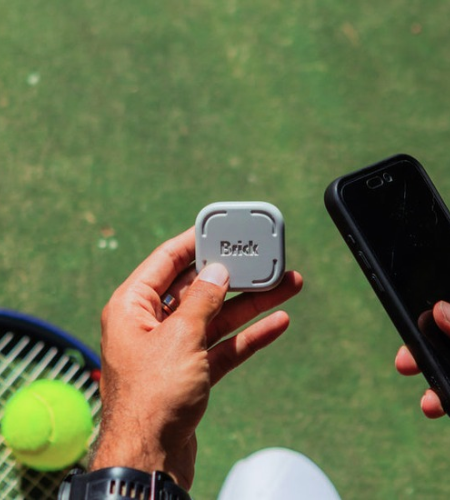
- Activate Brick: Tap your compatible smartphone against the physical Brick device to activate your selected blocking mode.
- Focus on your priorities: Spend your designated time working, studying, reading, or enjoying offline activities.
When you want to restore access, return to your Brick device and tap your phone again. Users can also configure scheduled blocking sessions. Brick LLC+1
Brick and Brick Night: Which One Fits Your Routine?
Brick offers two products designed for different situations.
Brick: The standard device is suitable for people who want more control over smartphone distractions during work, studying, family time, and personal activities. Its physical activation process encourages intentional phone use.
Brick Night: This product focuses on reducing nighttime smartphone distractions. It uses Bluetooth technology to automatically block selected applications when your phone enters a designated bedroom area during configured hours.
Brick Night can be useful for people who want to establish a more consistent boundary between bedtime and recreational phone use. Brick LLC+1
Is Brick Worth Considering for Better Productivity?
Brick may be worth considering if you regularly ignore ordinary screen-time reminders or find it difficult to avoid distracting applications.
Some reasons to consider its approach include:
- Physical interaction creates an additional step before accessing blocked applications.
- Custom modes support different activities and routines.
- Scheduled blocking can help establish consistent focus periods.
- Selected apps and websites can be restricted.
- Brick Night offers an additional option for managing bedroom distractions.

The official store currently lists the standard Brick at $59 and Brick Night at $129. Prices and offers may change, so check the latest product information before making a decision. Brick LLC+1
Brick is not essential for everyone. Built-in smartphone settings, notification controls, and simple workspace adjustments may be sufficient if your distractions are relatively manageable.
Frequently Asked Questions
1. How can I improve my concentration naturally?
Create a consistent routine, prioritize important tasks, reduce interruptions, get sufficient rest, and take regular breaks away from screens.
2. What is the best way to avoid phone distractions while working?
Keep your phone out of reach, silence unnecessary notifications, and use app-blocking settings to restrict distracting applications during focused work sessions.
3. How long should a focused work session last?
A 25-minute session followed by a five-minute break is a popular starting point. You can adjust the duration according to your concentration and workload.
4. Does multitasking reduce productivity?
Switching repeatedly between unrelated tasks can interrupt concentration and make work less efficient. Completing similar activities together may create a more organized workflow.
5. Can Brick help with studying and working?
Yes. Brick allows users to select distracting applications and activate customized blocking sessions, making it an option for people who want fewer smartphone interruptions.
Conclusion
Learning how to stay focused in a distracting digital world requires more than motivation. It involves building practical routines, organizing your workspace, managing notifications, and creating boundaries around technology.
Start with small changes, such as prioritizing daily tasks, using focused work sessions, and keeping your smartphone away during important activities.
If you need additional support managing digital distractions, Brick offers physical app-blocking solutions for everyday focus and productivity. Explore its official store to review the available products and decide whether they fit your routine.